Monster Tracks
Monster Truck vs Zombie

Monster Truck Racing Arena
Real Simulator Monster Truck
Impossible Monster Truck Race

Brain for Monster Truck

3D Monster Truck: Sky Roads
Mad Truck Challenge Special
Truck Traffic
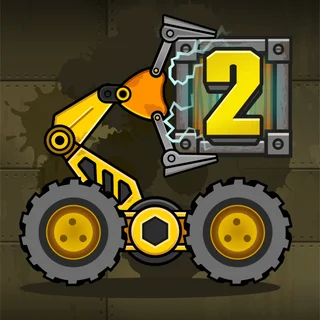
Boxrob 2

Blumgi Rocket

Flying Car Simulator
Truck Loader 2 Unblocked — Play Free Online
Stunts and PhysicsDrive a magnetic loader, solve warehouse puzzles, and pack cargo into the freight truck in Truck Loader 2, playable free in your web browser.
Truck Loader 2 unblocked: play Truck Loader 2 online free right here in your browser — no download, no sign-up, works on a school Chromebook.
What is Truck Loader 2?
Truck Loader 2 is a physics platform puzzle game created by 7Spot Games and released in 2019. In this title, you operate a compact motorized loader equipped with a magnetic mechanical arm to haul cargo into the back of a transport vehicle. Each stage presents a distinct warehouse layout filled with obstacles, switches, and elevation changes that test both your timing and problem-solving skills. The entire experience runs directly inside your web browser with no download required, offering instant access on desktop computers and mobile devices alike.
Unlike conventional driving games, Truck Loader 2 combines vehicular navigation with delicate crane manipulation. Success depends on balancing speed with precision as you carry heavy crates across precarious ramps and moving platforms. The result is a thoughtful puzzle experience where clever physics interactions take priority over raw speed.
Key features
- Magnetic crane arm: Extend and rotate an articulated mechanical arm to latch onto metallic cargo with strong magnetic suction.
- Dynamic physics puzzles: Maneuver weighted crates through multi-tiered warehouse environments with realistic gravity and momentum.
- Interactive machinery: Trigger floor switches, activate industrial elevators, and navigate motorized barriers to open new pathways.
- Responsive vehicular handling: Guide a nimble wheeled vehicle capable of hopping over gaps and balancing on narrow ramps.
- Immediate browser play: Play directly through modern web browsers across desktop and touch displays without installing extra software.
How to play
- Survey the warehouse floor: Examine the layout to spot where cargo crates rest and identify the location of the parked transport truck.
- Drive toward the cargo: Steer the loader across ramps and obstacles to position your mechanical arm within range of the target box.
- Activate the magnetic arm: Aim your cursor toward the crate and hold the magnetic grip to lift the freight off the ground.
- Solve pathway switches: Carry or drop boxes onto designated buttons to lower security gates, summon freight elevators, and clear the route.
- Pack the delivery truck: Carefully hoist each container into the marked cargo bay of the vehicle until the stage is complete.
Controls
| Action | Keyboard / mouse | Touch |
|---|---|---|
| Move left or right | A / D | On-screen buttons |
| Jump | W | Tap jump button |
| Aim magnetic arm | Mouse movement | Touch and drag |
| Pick up boxes | Mouse click | Tap screen |
Magnetic arm and warehouse physics
The defining mechanic of Truck Loader 2 is the telescopic magnetic arm attached to your vehicle. The arm pivots smoothly around the chassis, giving you full rotational freedom to grab cargo from high shelves, tight corners, or deep pits. When activated, the magnet locks onto metallic surfaces on crates, allowing you to lift, swing, and toss containers across obstacles.
Momentum plays an essential role during transport. Carrying a heavy box alters the loader balance, making sudden stops or reckless jumps risky. Players must account for crate weight when climbing steep ramps or ferrying cargo onto moving elevator platforms. Dropping a box from high above can trigger floor buttons or bounce objects into hard-to-reach pockets, turning environmental physics into a versatile puzzle-solving tool.
Tips and strategy
- Keep your cargo close: Pulling the magnetic arm inward stabilizes the loader while driving, preventing heavy crates from tipping your vehicle over on slopes.
- Use crates to hold switches: Many warehouse gates stay open only while pressure plates remain depressed, so place spare boxes on buttons to keep routes accessible.
- Harness swing momentum: Extending the magnetic arm and swinging a container before releasing allows you to toss boxes over barricades or onto elevated ledges.
- Position the loader before jumping: Align your wheels on flat ground before leaping across gaps, ensuring the vehicle lands squarely without flipping.
- Stack neatly inside the truck: Orient each box flat on the floor of the cargo vehicle to ensure every container fits inside the designated zone.
Versions and similar games
The Truck Loader series expanded with sequels including Truck Loader 4 and Truck Loader 5, introducing fresh puzzle mechanics, refined physics, and updated obstacle courses. Fans of vehicular physics on Monster Truck Games can also discover related challenges with distinct gameplay styles:
- Monster Tracks: The site headline title tests throttle moderation and balance across rugged, shifting terrain rather than precision crane operation.
- Brain for Monster Truck: A physics puzzle title where players draw pathways and bridges on screen to guide a truck past hazards and deliver freight.
- Real Simulator Monster Truck: A full three-dimensional driving simulation prioritizing high-speed stunts, open arenas, and powerful truck handling.
Developer and history
Truck Loader 2 was created by 7Spot Games, an independent development studio based in Lithuania. Released in late 2019, the game gained widespread popularity for its clever combination of vehicular balance and physics puzzle design, cementing the series as a classic in the browser gaming world.
Questions about Truck Loader 2
Is Truck Loader 2 unblocked at school?
Truck Loader 2 runs in an ordinary browser tab from monstertruck.gg, with nothing to download or install, so it plays on most school Chromebooks and work computers. If a network filter blocks the site, only that network's administrator can change it.
What is the primary objective in Truck Loader 2?
Your objective is to drive the small yellow loader, pick up cargo boxes with the magnetic arm, and stack them securely inside the cargo bay of the delivery vehicle.
How do you control the magnetic arm in Truck Loader 2?
Aim the flexible arm using your mouse cursor and tap or click the primary mouse button to activate the magnetic tip and hold crates.
Can I play Truck Loader 2 on desktop and mobile devices?
Yes, the game runs smoothly in modern desktop browsers with keyboard navigation as well as on touchscreen mobile devices with direct touch controls.
Who developed Truck Loader 2 and when was it released?
Truck Loader 2 was created by 7Spot Games and released in late 2019 as part of their physics puzzle series.