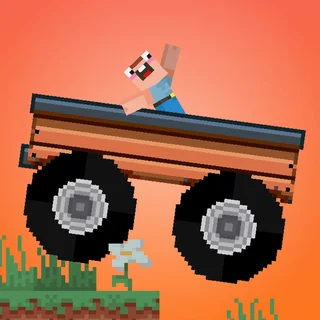
Monster Tracks
Boxrob 2
Truck Loader 2

Flying Car Simulator
Flying Wheels Evolution
Sweet Ball Sprint
Truck Traffic
Truck Slam
Drive Mad
Sky Mad
Mad Skills Rallycross
Battle Wheels
Blumgi Rocket Unblocked — Play Free Online
Stunts and PhysicsLaunch over wild obstacles and trigger mid-air boosts in Blumgi Rocket. Play the physics stunt game directly in your browser with no downloads.
Blumgi Rocket unblocked: play Blumgi Rocket online free right here in your browser — no download, no sign-up, works on a school Chromebook.
Blumgi Rocket is a fast-paced physics platformer where high-speed momentum and mid-air rocket bursts turn simple obstacle courses into thrilling aerial stunts. Developed by Blumgi, the game puts you behind the wheel of a compact vehicle equipped with a rocket thruster. Instead of traditional driving with gear shifts and steering wheels, the action focuses entirely on timing your thrusts to blast across gaps, climb steep hills, and zip through winding tunnels.
Each level presents a bite-sized obstacle course designed for quick experimentation. Tracks are filled with ramps, loops, dynamic platforms, and dangerous drops that require precise impulse control. If you launch too early, you might smash directly into a ceiling or overshoot the landing platform. If you wait too long, gravity pulls you down into the abyss. Finding the sweet spot between building rolling speed and firing the rocket makes clearing each stage deeply satisfying.
For players on Monster Truck Games who enjoy physics-driven balance games like Monster Tracks, Blumgi Rocket delivers a lighter, speedier alternative. The physics engine emphasizes kinetic energy and rotation, encouraging you to pull off front flips and backflips while soaring through the sky before sticking a clean four-wheel landing at the finish line.
How to play
The controls in Blumgi Rocket are minimalist and easy to pick up, relying on a single primary action button across keyboard, mouse, or touch inputs:
- Drive and Accelerate: Press the W key, Up Arrow, or left-click with the mouse to drive forward along flat ground.
- Charge and Fire Rocket: Press and hold Spacebar, Up Arrow, or the mouse button to activate the rocket thruster. Holding the button in mid-air slows down time slightly and charges your propulsion, launching your vehicle forward with explosive force when released.
- Air Rotation: Use the Left and Right Arrow keys (or A and D) to adjust your vehicle tilt in mid-air to land upright on your wheels.
Your run ends if you land upside down on your roof or get wedged between barriers. As long as your wheels touch the ground first, your car absorbs the impact and keeps rolling toward the goal.
Tips for mastering courses
- Use slow motion to aim your trajectory: When you trigger the boost in mid-air, the subtle slowdown gives you a brief moment to evaluate your angle. Align the nose of your car with the upcoming landing strip before letting go.
- Chain boosts off steep ramps: Hitting a ramp at full rolling speed provides massive vertical lift. Wait until the peak of your jump to fire the rocket so you maximize horizontal distance.
- Recover from awkward flips: If your vehicle starts tumbling out of control, a quick tap of the rocket thruster can instantly stabilize your forward momentum and pull the chassis upright.
- Do not rush every jump: Certain stages feature low ceilings and hanging obstacles. Tapping the throttle gently is often safer than launching an overpowered boost into a wall.
Similar games on Monster Truck Games
If you enjoy the physics-based stunt driving in Blumgi Rocket, Monster Truck Games offers several other great titles to try next. Monster Tracks focuses on delicate throttle control and terrain negotiation across rugged wooden bridges and hills. Moto X3M brings intense obstacle-course racing with explosive hazards and precision flip mechanics. For players who prefer pure arcade timing and sharp cornering, Drift Boss tests your reflexes on narrow, suspended roadways without any brakes.
Blumgi Rocket is ideal for short casual breaks or dedicated speedrun sessions. Because the entire game runs directly in your browser without requiring downloads or complex setups, you can jump straight into the action on any modern desktop, laptop, or mobile browser.
Questions about Blumgi Rocket
Is Blumgi Rocket unblocked at school?
Blumgi Rocket runs in an ordinary browser tab from monstertruck.gg, with nothing to download or install, so it plays on most school Chromebooks and work computers. If a network filter blocks the site, only that network's administrator can change it.
How do you activate the rocket boost in Blumgi Rocket?
Press and hold the boost button (Spacebar, Up Arrow, W, or the left mouse button). Releasing the button or holding it in mid-air ignites the rocket thruster to launch your vehicle across gaps.
What is the primary goal of each level?
Your objective is to navigate winding courses, loops, and hazards to reach the checkered finish line without flipping upside down or crashing violently into obstacles.
How do you unlock new vehicle skins in the game?
You unlock new car models and animal-themed vehicles automatically by completing levels and hitting progression milestones throughout the campaign.
Can you play Blumgi Rocket on touch devices?
Yes. The game supports touchscreen controls with simple tap-and-hold gestures, making it fully playable on phones, tablets, and desktop computers.