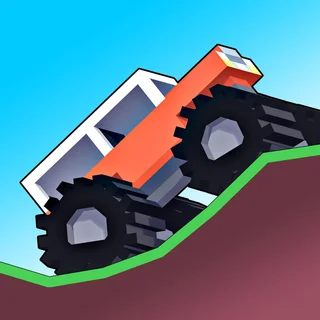
Monster Tracks
Monster Truck vs Zombie
Monster Truck Racing Arena
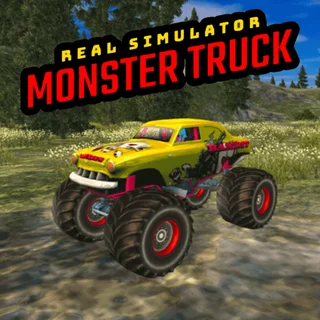
Real Simulator Monster Truck
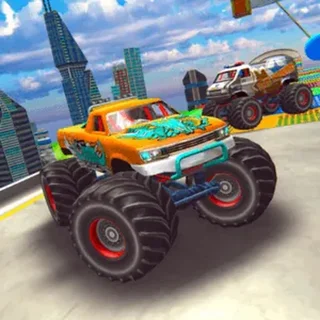
Impossible Monster Truck Race
Brain for Monster Truck
Mad Truck Challenge Special
Truck Loader 2
Truck Traffic
Monsters' Wheels Special
Truck Slam
Sky Mad
3D Monster Truck: Sky Roads Unblocked — Play Free Online
Monster Truck GamesDrive heavy trucks across elevated floating courses in 3D Monster Truck: Sky Roads, a free 3D obstacle driving game you can play in your browser.
3D Monster Truck: Sky Roads unblocked: play 3D Monster Truck: Sky Roads online free right here in your browser — no download, no sign-up, works on a school Chromebook.
3D Monster Truck: Sky Roads puts you behind the wheel of a heavy vehicle navigating narrow obstacle courses suspended high above the clouds. Developed by Vitality Games, this title combines trial-style vehicle balancing with high-altitude precision driving.
Unlike flat racing circuits where top speed is the only goal, Sky Roads demands careful throttle discipline and steady steering. Missing a ramp angle or overshooting a landing sends your truck tumbling into the abyss, forcing a reset back to the start of the course or the nearest checkpoint.
For players who enjoy the physics balance challenges of Monster Tracks, this game shifts that core tension into a full 3D environment featuring elevated pathways, rotating hazards, and moving platforms.
How to play
Drive your vehicle using the keyboard controls:
- Accelerate: Press W or Up Arrow to apply the throttle and move forward.
- Brake and Reverse: Press S or Down Arrow to slow down, stop, or back up.
- Steer and Balance: Press A and D or the Left and Right Arrow keys to steer on roads and adjust vehicle tilt while airborne.
- Menu Selection: Use your mouse cursor to select stages and interact with the main menu.
Each level presents a continuous track filled with elevated roadways, gaps, and mechanical traps. Your goal is to guide the monster truck across every hazard and cross the finish line without falling off the suspended bridges.
Tips for suspended driving
- Feather the throttle: Holding down acceleration continuously makes it easy to slip off tight corners. Tap the gas in short bursts when crossing narrow pathways.
- Level out before landing: Use the left and right steering keys while in the air to keep the truck flat so the wheels absorb the impact without bouncing sideways.
- Time the moving platforms: Observe moving hazards and shifting bridges for one cycle before driving across to ensure you have enough room to clear them.
Similar games on Monster Truck Games
If you enjoy navigating tricky terrain, several other titles on Monster Truck Games offer great alternatives. For 2D physics trials with bouncy suspension, try Monster Tracks or Monsters Wheels Special. If you prefer realistic ground handling and open stunt arenas, check out Real Simulator Monster Truck. Players looking for competitive circuit racing against rival trucks can jump into Monster Truck Racing Arena.
3D Monster Truck Sky Roads runs directly in modern web browsers with no installation required. A standard physical keyboard provides the most responsive setup for delicate steering and mid-air balance corrections.
Questions about 3D Monster Truck: Sky Roads
Is 3D Monster Truck: Sky Roads unblocked at school?
3D Monster Truck: Sky Roads runs in an ordinary browser tab from monstertruck.gg, with nothing to download or install, so it plays on most school Chromebooks and work computers. If a network filter blocks the site, only that network's administrator can change it.
What are the controls for 3D Monster Truck: Sky Roads?
Use WASD or the Arrow keys to drive. W or Up accelerates, S or Down brakes and reverses, and A/D or Left/Right steers and balances the vehicle in the air.
Who created 3D Monster Truck: Sky Roads?
The game was developed by Vitality Games, known for creating 3D browser-based driving and stunt titles.
How do you complete levels in 3D Monster Truck: Sky Roads?
Drive across the floating platforms and ramps while avoiding hazards and falling off the edges until you reach the finish line.
Can I play 3D Monster Truck: Sky Roads on a Chromebook or PC?
Yes, the game runs directly inside standard web browsers without extra downloads, and works best using a physical keyboard.