Monster Tracks
Real Simulator Monster Truck
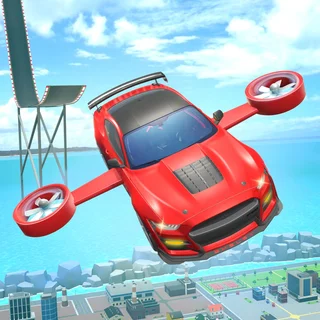
Flying Wheels Evolution
Boxrob 2

Blumgi Rocket

Truck Loader 2

Smash Karts
Drift Boss

Crazy Cars

Cars: Lightning Speed
MPH Online
Mad Cars Racing And Crash
Flying Car Simulator Unblocked — Play Free Online
Stunts and PhysicsPlay Flying Car Simulator free in your browser to drive high-speed sports cars through city avenues and deploy wings to take flight over skyscrapers.
Flying Car Simulator unblocked: play Flying Car Simulator online free right here in your browser — no download, no sign-up, works on a school Chromebook.
Flying Car Simulator is a 3D driving and flight simulation game developed by Blue Axis and released in June 2019. The game blends high-speed road driving with airborne navigation: you accelerate through city avenues, deploy wings to soar over skyscrapers, and navigate back down toward roadways. It runs directly inside modern web browsers with no installation or download needed.
Unlike traditional road racers that keep wheels pinned to tarmac, this game gives your vehicle dual capabilities. You can cruise along urban streets like a standard sports car or convert into flight mode to glide between towers and reach elevated platforms. The freedom to transition between asphalt driving and aerial gliding creates a relaxed sandbox environment built around speed, exploration, and stunt landings.
Key features
- Dual vehicle dynamics: Drive smoothly on street asphalt or deploy flight wings to take off into the sky.
- Nitro boost system: Engage rocket propulsion to reach maximum velocity on straightaways or gain steep aerial altitude.
- Urban playground: Explore a three-dimensional cityscape featuring long avenues, tall buildings, and jump ramps.
- Midair maneuvering: Steer your airborne chassis cleanly around high-rise structures and glide across rooftops.
- Instant mode transitions: Switch between terrestrial wheel steering and aerial flight with a single key command.
- Friction braking: Bring your vehicle to a swift halt upon landing to prevent overshooting runways and rooftop targets.
How to play
- Use WASD to accelerate forward and steer your vehicle through the city streets.
- Build up forward momentum along a clear boulevard or launch off a road ramp.
- Engage Shift to trigger the nitro boost for a rapid surge of driving speed.
- Press F to deploy your flight wings and lift off from the pavement into the air.
- Adjust your pitch and heading while airborne using WASD to cruise between skyscrapers.
- Align your car with an open street or broad rooftop as you descend back toward the ground.
- Press F to retract your wings and tap Spacebar to brake firmly upon touchdown.
Controls
| Action | Keyboard |
|---|---|
| Drive and steer | WASD |
| Toggle flight or landing | F |
| Activate nitro boost | Shift |
| Brake | Spacebar |
Flight mechanics and aerial transitions
The defining mechanic of Flying Car Simulator is the seamless transition between terrestrial physics and flight dynamics. On asphalt, your vehicle behaves like a rear-wheel automobile with direct steering and standard traction. Once you hit the flight toggle, aerodynamic lift takes over, allowing the chassis to ascend, bank, and glide across the skyline.
Managing your airspeed is essential when switching between modes. Gaining enough forward speed before taking flight prevents sudden stalls, while using nitro during an ascent gives you the vertical lift needed to clear towering buildings. When coming in for a landing, reducing forward speed before retracting your wings ensures that your tires make contact with the road rather than crashing against barriers.
Tips and strategy
- Gain speed before takeoff: Accelerate along a straight avenue before pressing the flight toggle so you carry sufficient momentum into the air.
- Save nitro for steep climbs: Reserve your nitro boost to power up over tall skyscrapers or clear tight alleyways quickly.
- Scout flat landing strips: Target broad highway lanes and expansive building tops when descending to give yourself plenty of stopping distance.
- Brake immediately upon touchdown: Hold Spacebar as soon as your tires touch concrete to stop your car from sliding into obstacles.
- Line up your descent early: Level out your vehicle while still airborne so you land parallel to the pavement rather than nose-first.
Versions and similar games
If you enjoy the vehicular freedom of Flying Car Simulator, several companion titles on Monster Truck Games offer distinct driving challenges:
- Monster Tracks: Focuses on delicate throttle control and suspension physics over precarious obstacle tracks rather than open aerial exploration.
- Real Simulator Monster Truck: Delivers heavy vehicle driving on rough off-road terrain, emphasizing weight distribution and mechanical power over flight.
- 3D Monster Truck: Sky Roads: Challenges you to navigate elevated suspended tracks high above the ground without falling off narrow edges.
Developer and history
Flying Car Simulator was developed by Blue Axis and released in June 2019. The title gained popularity in web gaming for merging open-ended city driving with responsive arcade flight mechanics.
Questions about Flying Car Simulator
Is Flying Car Simulator unblocked at school?
Flying Car Simulator runs in an ordinary browser tab from monstertruck.gg, with nothing to download or install, so it plays on most school Chromebooks and work computers. If a network filter blocks the site, only that network's administrator can change it.
Who developed Flying Car Simulator?
Flying Car Simulator was developed by Blue Axis and released in June 2019.
How do you switch between driving and flying?
Press F on your keyboard to deploy your wings and take flight, and press F again to retract them for landing.
How does the nitro boost work in Flying Car Simulator?
Engage the Shift key while driving or flying to activate a burst of rocket acceleration for extra speed.
Can you land on buildings in Flying Car Simulator?
Yes, you can glide over the city skyline and touch down on wide rooftops or open roadways by leveling out and braking.