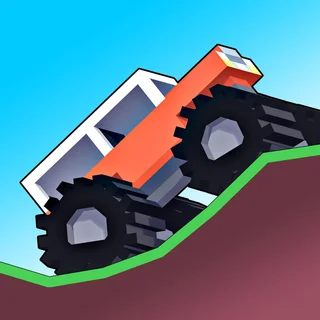
Monster Tracks
Mad Truck Challenge Special
Mad Cars Racing And Crash

Noob Drive
Sky Mad
Mad Skills Rallycross
Truck Traffic
Truck Slam
Battle Wheels
Moto X3m 4 Winter
Moto X3m 5 Pool Party

Smash Karts
Drive Mad Unblocked — Play Free Online
Racing & DrivingPlay Drive Mad free in your browser and tackle physics-based obstacle courses with wild truck modifications, tricky ramps, and instant restarts.
Drive Mad unblocked: play Drive Mad online free right here in your browser — no download, no sign-up, works on a school Chromebook.
Drive Mad is a physics-based driving puzzle game where navigating a track requires as much finesse and balance as it does speed. Instead of racing against an opponent on a traditional circuit, every level presents an obstacle course packed with ramps, gaps, collapsing bridges, and sudden elevation changes. Your objective is simple: guide your blocky vehicle to the finish line without flipping over or smashing it to pieces.
What makes each stage engaging is how the vehicle dynamics change throughout the game. Across dozens of short levels, Drive Mad constantly alters your truck with bizarre modifications such as oversized rear tires, stretched wheelbases, bouncing suspensions, or asymmetrical wheel sizes. Every new setup reacts differently to momentum and terrain, turning each run into a quick physics puzzle that rewards careful throttle control.
Because the stages are bite-sized and restarts are instant, failing never feels punishing. If you flip your truck on a steep hill or miscalculate a gap, a single keypress resets you back at the starting line ready for another attempt.
How to play
Controlling your truck in Drive Mad relies on straightforward keyboard inputs:
- Accelerate / Move Forward: Press Up Arrow or W to drive forward.
- Brake / Reverse: Press Down Arrow or S to slow down or drive backward.
- Handbrake: Press Spacebar to bring the vehicle to an abrupt stop.
- Quick Restart: Press R to immediately reset the current stage after a crash.
Managing your throttle is the key to surviving. Giving your vehicle full gas from a complete standstill will often flip it backwards due to sudden torque. Instead, feather the accelerator smoothly as you climb steep slopes and let gravity carry you through tight landings.
Tips for tricky stages
- Feather the throttle: Tapping the accelerator rather than holding it down gives you better control over the truck's pitch in mid-air.
- Use reverse to balance: If your front wheels lift too high on a ramp, tapping reverse can pull the nose down before you flip.
- Watch the terrain ahead: Many bridges collapse or tilt when weight is applied. Sometimes driving quickly across a hazard is safer than creeping forward slowly.
- Embrace the quick restart: The moment a run goes wrong, hitting R saves time and keeps your rhythm going across multiple attempts.
Similar games on Monster Truck Games
If you enjoy the physics balancing and trial-and-error pacing of Drive Mad, check out Monster Tracks for a similar voxel truck challenge with tricky articulated obstacles. For players who prefer high-speed stunt courses with explosive hazards, Moto X3M and Mad Truck Challenge Special deliver intense obstacle runs with heavy vehicle physics.
Questions about Drive Mad
Is Drive Mad unblocked at school?
Drive Mad runs in an ordinary browser tab from monstertruck.gg, with nothing to download or install, so it plays on most school Chromebooks and work computers. If a network filter blocks the site, only that network's administrator can change it.
What are the controls for Drive Mad?
Use the arrow keys or WASD to accelerate and reverse. Press Space to apply the handbrake and press R to instantly restart a level.
Does Drive Mad save your level progress?
Yes, your completed stages and level progress are automatically saved in your browser storage so you can continue where you left off.
How many levels are in Drive Mad?
The game features 100 distinct stages, each introducing unique obstacle layouts, moving platforms, and experimental vehicle shapes.
Can you play Drive Mad on mobile devices?
Yes, Drive Mad supports touch controls on mobile phones and tablets by tapping the left and right sides of the screen to steer and accelerate.