
Monster Tracks Landing Guide: How the Air Tilt Works and Why You Keep Flipping
Published · 1 min read
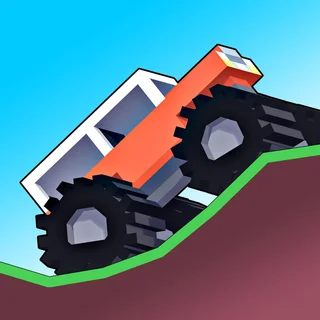
Pitch is the only control in the air
On the ground, the throttle in Monster Tracks does what you expect. The moment all four wheels leave the track it changes job: accelerate rotates the truck backward (nose up) and reverse rotates it forward (nose down). Nothing else you press matters until you land, so a jump is really a short window in which you are choosing an angle.
Jump one: the crest launch
You come over a hill fast and the truck leaves the ground nose-high. Left alone it keeps rotating and lands on its tail or its roof. The fix is a tap of reverse at the top of the arc, just enough to bring the nose level with the slope you are about to hit. If you are landing on a downslope, aim slightly nose-down; landing flat on a downslope bounces the rear up and starts the flip all over again.
Jump two: the ramp
Ramps throw the truck higher and give it more time in the air, which is more time to overcorrect. Make one adjustment, early, and then wait. If you find yourself tapping both keys alternately you have already lost the landing; commit to whichever angle is closer to the ground you can see.
Jump three: the drop
Driving off a ledge with no ramp leaves the truck flat and then nose-down as it falls. Hold accelerate for most of the drop to keep the nose up, and release just before contact so the front wheels touch first and the suspension takes it.
The recovery tap
When a landing goes wrong but the truck is still on its wheels, it is usually rocking forward. A quick tap of reverse on contact cancels that rotation. It feels backward the first few times; after that it becomes automatic and most of the flips stop happening.
More from the blog
- Which Monster Truck Game Should You Play? Every Truck Game on This Site Compared
Seven monster truck games, two hosted here and five embedded, ranked by how fast they load, how they control and what kind of fun they are.
- After the Trucks: The Racing, Drift and Parking Games on This Site
What is on the shelf next to the monster trucks: the rally and drift games, the highway and parking games, the physics stunts and the casual picks.